
How to start Minecraft Web in your browser
Find Minecraft Web in the Ported 2 Browser game list and press Start on this page, then Play Game in the launcher. A Mojang logo shows while the game loads. On our connection the first screen appeared about 25 seconds after Play Game.
A few one-time screens come next:
- Content Warning about the chat profanity filter. Click Done.
- Edit Profile with an auto-generated username and skin. Change them if you like, then click Done.
- Default Username Detected. Click Continue Anyway, or Change Username to pick your own.
The title screen then shows Singleplayer, Multiplayer, Download Offline, Options and Edit Profile. Choose Singleplayer → Create New World → Create New World. Survival is the default game mode; More World Options has the rest. Press Create New World at the bottom and wait while it says Downloading terrain.
Desktop launch check · November 26, 2026
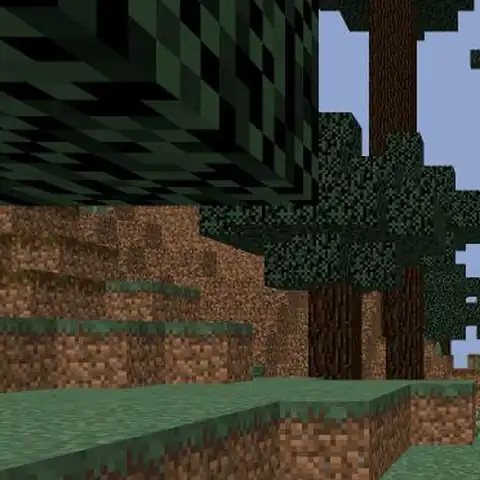
We loaded this game window inside a page on ported2browser.io in desktop Chrome on a Mac. The title screen read Minecraft 1.8.8 and EaglercraftX 1.8-u53. A new survival world took about half a minute to generate, then we spawned in a spruce forest at 60 fps. W and S walked forward and back, moving the mouse turned the view, and E opened the inventory and earned the Taking Inventory achievement. We did not test breaking or placing blocks, Multiplayer, Download Offline, fullscreen or touch.
About Minecraft Web (Eaglercraft)
This is EaglercraftX, a fan-made port of Minecraft Java Edition 1.8.8 that runs as JavaScript in a browser tab. You get the 1.8 game: survival with health and hunger bars, creative mode, crafting, mobs, villages, the Nether and the End. Features added after 1.8, such as the newer combat, oceans and caves, are not part of it.
Singleplayer runs an integrated server inside the page. The Multiplayer menu connects to servers set up for Eaglercraft, not to regular Minecraft Java servers. This build also has a Download Offline button for saving a copy of the game, which we did not try.
Controls
| Action | Key |
|---|---|
| Walk | W A S D |
| Look around | Move the mouse |
| Jump | Space |
| Break / attack | Left click |
| Place / use | Right click |
| Inventory | E (press E again to close) |
| Pause menu | Esc |
We tested W, S, E and mouse look. The other keys are the standard Minecraft 1.8 defaults and can be changed under Options → Controls.
Click inside the game window first so it captures the mouse. Esc gives the mouse back to the page. It does not close the inventory here: the game told us to use E for that.
Your first night
- Punch a tree with left click to get logs, open the inventory with E and turn them into planks, then make a crafting table.
- Make a wooden pickaxe, then switch to stone tools as soon as you find cobblestone.
- Build a small shelter or dig into a hillside before dark. Zombies, skeletons and creepers spawn at night in Survival.
- Pick Peaceful under Options if you just want to build.
On a phone or tablet
We have not tested touch play. This build expects a keyboard and mouse, so a computer is the safer choice.
Saving your progress
Singleplayer worlds are stored in this browser, not in a Microsoft or Mojang account. The Select World screen has Backup, Rename and Delete buttons, and Create New World also offers Load EPK File and Import Vanilla World. We did not test whether a world survives a reload or a closed tab. Clearing site data will remove your worlds, so make a backup of anything you want to keep.
More from the collection
For another game about digging and building, try Terraria. For a slower life on a farm, play Stardew Valley, and for exploring a big underground world, try Hollow Knight. Back to the Ported 2 Browser game list.
Player comments
Found a useful control or a way past a tricky part? Leave a note for the next player.