

Start in Vice City
Find Vice City in the Ported 2 Browser game list, press Start here and choose Play Game in the Pizza Edition launcher. A second PLAY GAME button appears in the Vice City window. Select it to start the download. Once the download finishes, click the Click anywhere to start screen. In the main menu, highlight Start Game, press Enter, then choose New Game. Let the opening scenes finish until you can move around Vice Beach.
Desktop launch check · November 18, 2026
The launcher downloaded the game. We did not have to supply a file to reach the opening street in desktop Chrome. Audio and the full story remain unchecked.
The game takes place in an open city where you can travel on foot or by car and take on missions.
Controls and devices
In desktop Chrome, the Arrow keys moved the menu selection, Enter confirmed it, and W and D moved the character in the opening street. The site’s fullscreen button was checked on desktop. Controllers have yet to be verified.
On a phone or tablet
Phone-size touch check · November 23, 2026
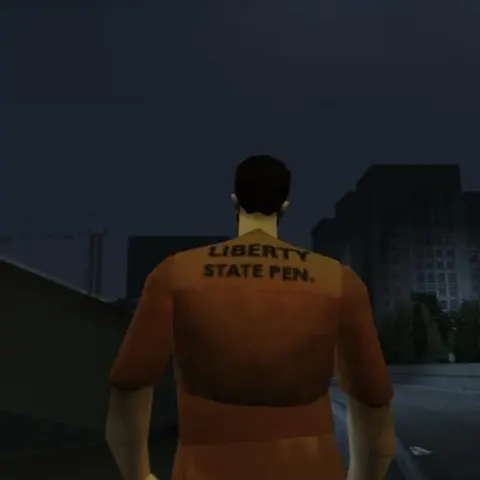
We ran this page in Chromium with a Pixel 7 phone profile (touch input only, 412 × 839 screen) rather than on a physical handset. The chain of taps is Start, Play Game, the game’s own PLAY GAME, then anywhere on the “Click anywhere to start” screen. About 136 MB had downloaded by that point. This build brings its own touch controls. In menus a round › button confirms, because tapping the menu text itself did nothing. In the city there are buttons for running, jumping, punching and entering a car, a drag on the left half of the screen walks Tommy, and a drag on the right half turns the camera.
Using only those, we started a new game, skipped both opening scenes with › and walked along the first street. Portrait works but stretches the picture tall, while landscape with Fullscreen fills the screen with every button in view. The game’s start page also has an FPS limit field and suggests 30 for a phone that runs hot. Driving, shooting and missions were not tried, and neither were Safari on iPhone or iPad or physical Android devices.
Saving your progress
Desktop save check · November 23, 2026
We tested this in desktop Chromium 153. The Vice City window’s start page, the one with the second PLAY GAME button, also has a Save Manager with eight slots, each with Upload, Download and Delete. A save file placed in slot 2 showed up under Start Game and Load Game and loaded. It was still in its slot after a reload, after closing the tab mid-game and after restarting the browser. Clearing the site’s data emptied all eight slots, and uploading the file we had downloaded earlier put the save back.
We did not save at an in-game save point. The game ran at well under half speed in our test browser, so for the slot test we used the Save Manager’s Set 100% button, which drops a completed-game save into a slot. That means we cannot say when a save made during play is written. Download a slot before you clear browser data or move to another device. Other browsers were not tested.
A tip for your first session
To check that the game has keyboard focus, try moving the menu highlight with the arrow keys before entering the city. If it does not move, click inside the game window and try again. Use Start Game when you want to begin a fresh session.
More from the collection
Go back to Liberty City with the earlier GTA 3, or for other keyboard-driven action games, try Shadow Fight 2 or Sonic the Hedgehog. Back to the Ported 2 Browser game list.
Player comments
Found a useful control or a way past a tricky part? Leave a note for the next player.